
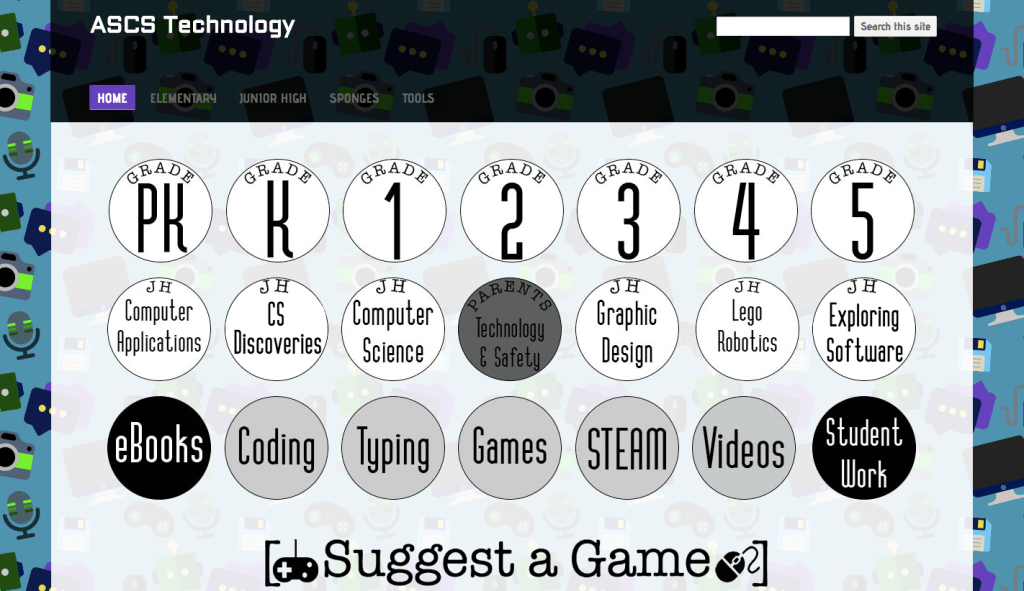
This is a technology lab website, which I completely redid during the summer of 2017. The site is powered by Google Sites with a custom domain. It features individual pages/portals for every class and grade level, as well as “sponges” (activities) for different grade ranges.

The new site is based on an old technology lab website that I quickly overhauled at the beginning of the 2016-17 school year. A the end of the school year, I asked the students (in grades 4-8) for feedback on the website via anonymous course surveys. I intended to redo and clean up the website, but wanted to know more about what the users (students) were thinking as they used the site in order to inform my design.
The surveys included some expected feedback (“get rid of typing homework”, “add more games”) and some unexpected but useful suggestions, such as a custom url, more colorful pages, and more accessible non-game activities from class.
Some things that I kept consistent from the previous site are the site’s structure (with separate pages for each class and sponges pages subdivided by grade level groups) and specific elements that I designed for the old site (like the grade level buttons). These consistent design elements promote independence and confidence in users, especially pre-readers and those new to computers.

The new website is located at a custom url: www.ascs.technology. I designed business cards to hand out at Back to School night and send with students so that they can visit my website with their parents at home.
A high-impact change in the site is the new background, which was designed with PatternNinja. I also got rid of the cluttered side menu and added a sleek, partially-transparent top menu with a search bar and custom colored dropdowns.

I also added more activity pages. Some of the students’ favorite class activities, like coding, weren’t accessible except by going to archived content within a class. The above block coding page is designed as an entry point to coding for 1st-8th grade students.
Another addition to the site is the large “Suggest a Game” banner on the main page. Its background is transparent and its typography and design are consistent with the rest of the site. The banner redirects the user to a short Google form where they can suggest a game or activity for me to add to the site. This form automatically sends me an email with the suggestion, allowing for constant user feedback and encouraging students to use my website as their personal home page/portal to the rest of the internet.

Individual class pages are clean and simple. For Pre-K through 2nd grade, they include the class name, current learning objective, and a grid of picture links to activities that support the lesson. Links open in a new tab and are changed/added to before each class, which promotes student independence at school and at home.
For 3rd grade and above, the class page includes a simple “toolbox” at the top with links to common class resources like Typing.com, Accelerated Reader, and First in Math. The main part of the page features the current lesson’s learning objective, instructions, and resources. By scrolling down, students can access old lessons and links.
Finally, the site includes a Student Work page. This page showcases special projects from different classes so that parents, classroom teachers, and friends can see what students have been working so hard on.

 Lauren Mach
Leave a comment