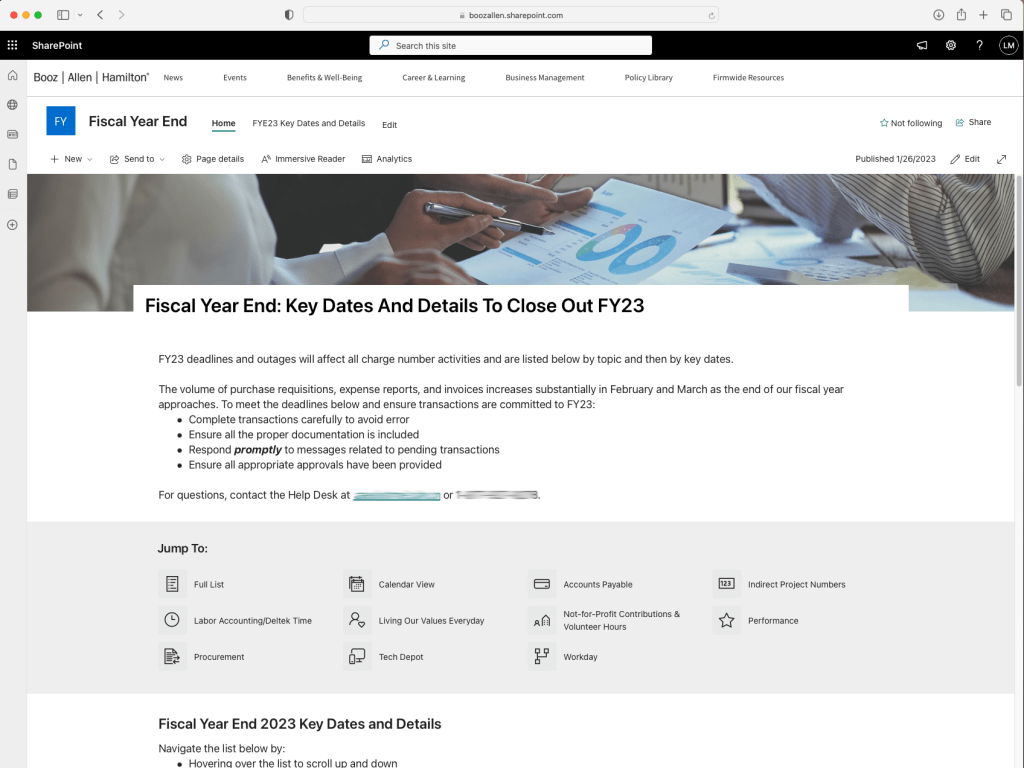
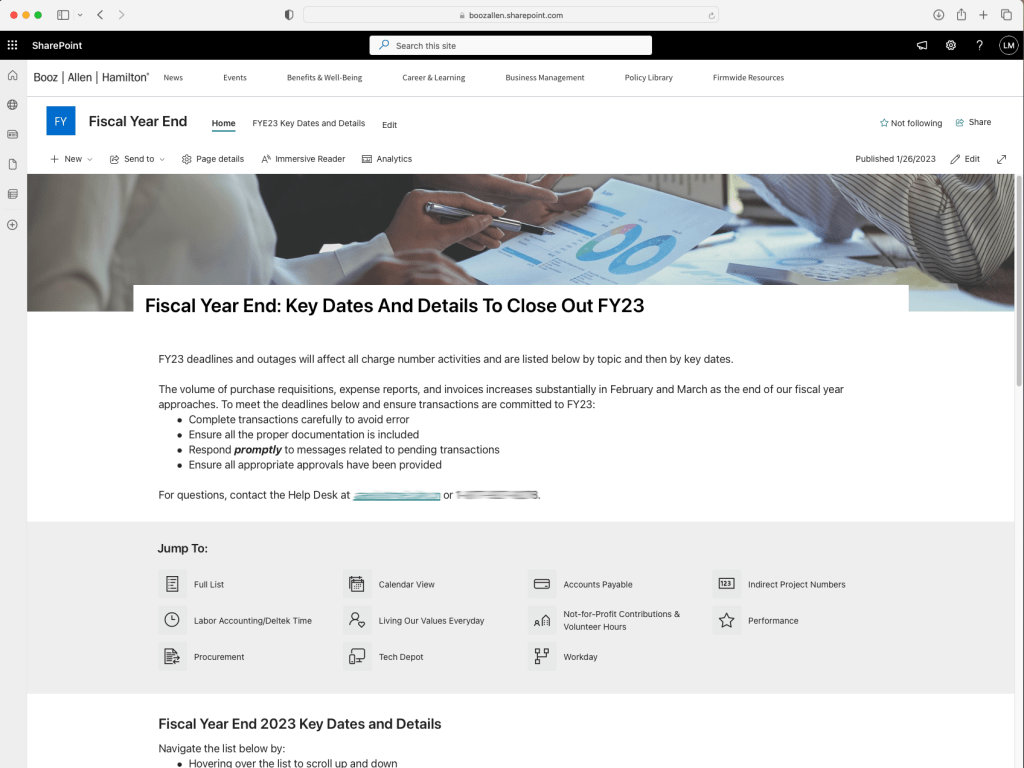
Fiscal Year End is a major undertaking at every company. Numerous departments must collaborate to define and communicate tasks and deadlines leading up to the end of the fiscal year. In the past, Booz Allen used a massive table inside a Word document to track key dates and to dos. This had several shortcomings, including suboptimal accessibility, limited organization and filtering, and no good way to update tasks once the document had been disseminated.
I was asked to create a Sharepoint site with the fiscal year end table content so that stakeholders could communicate any changes to the whole company efficiently.
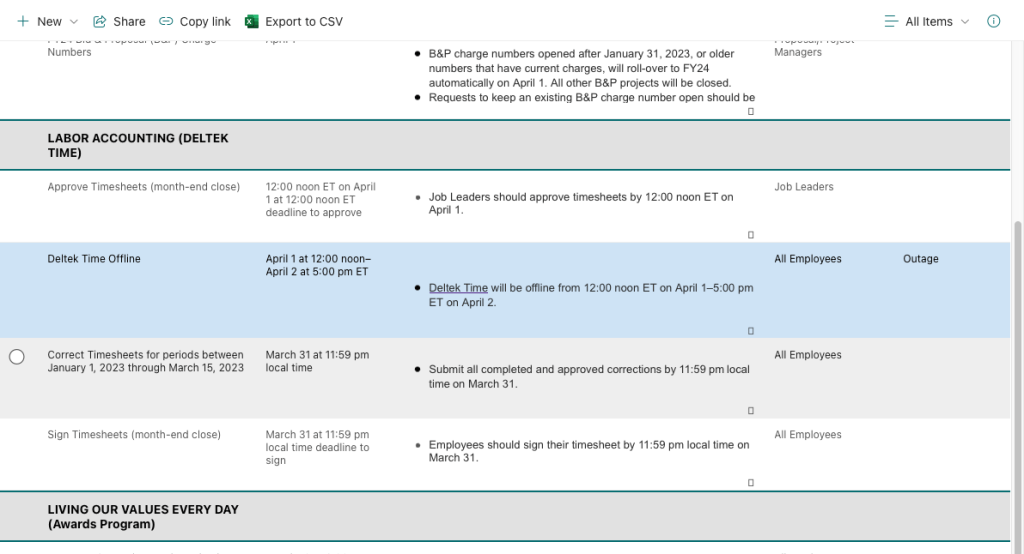
Instead of just moving the table from Word to Sharepoint, I recommended we use an embedded Sharepoint List for additional functionality: filtering, mobile responsive display, ease of navigation (including using assistive technology), calendar display, and visual appeal.
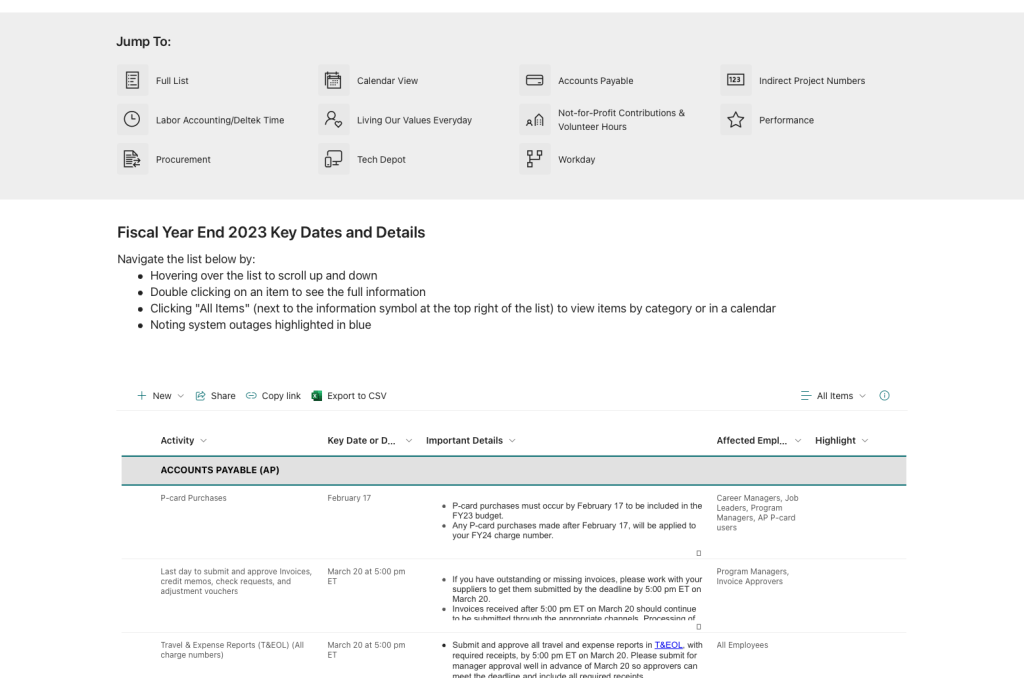
Using a list and Sharepoint site to communicate this information revolutionized the fiscal year end process for the company. It eliminated version control issues associated with the previous document format, made the content interactive, accessible, and appealing to the users, and allowed leaders to share the information in a way that made sense for their teams.
 Lauren Mach