I was tasked with developing a dashboard for executive communications that pulled together all emails sent by executives through our mass communications channels. The goal was to centralize and automate reporting to reduce errors and workload while increasing consistency and information access.
One of our channels had an outdated and significantly paywalled data portal that functionally limited data exports to oddly formatted csv reports sent via email for each mailing. Another channel was planning to implement a way to connect via API to our data lake, but the service wouldn’t be available for at least a year.
To bridge the gaps between our different channels and report types, I built a custom Python script that could extract data from the main channel’s automatically emailed reports, clean it, and output it to a database used by PowerBI for the leadership dashboard.
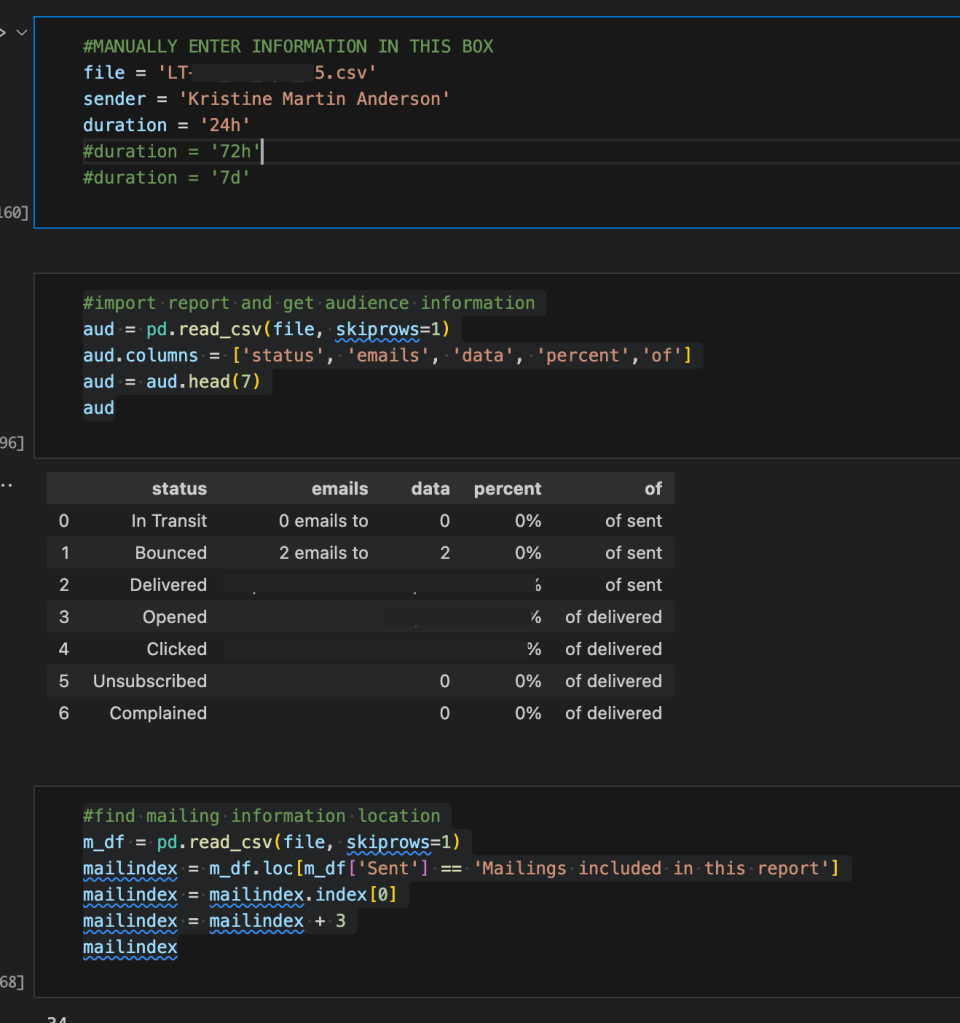
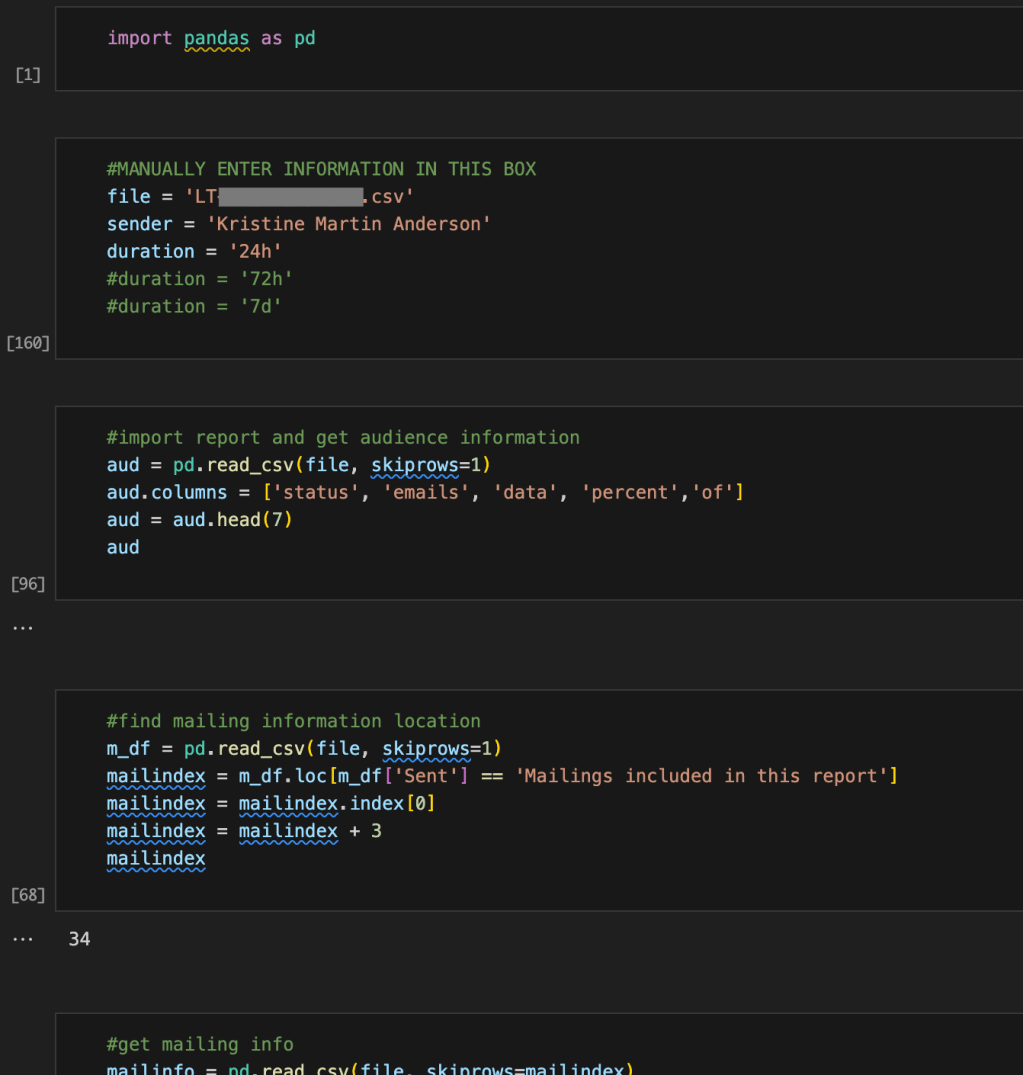
The script required very little manual input:once the sender name, duration between sending and report generation, and location of the report, the script automatically pulled everything else from the report.
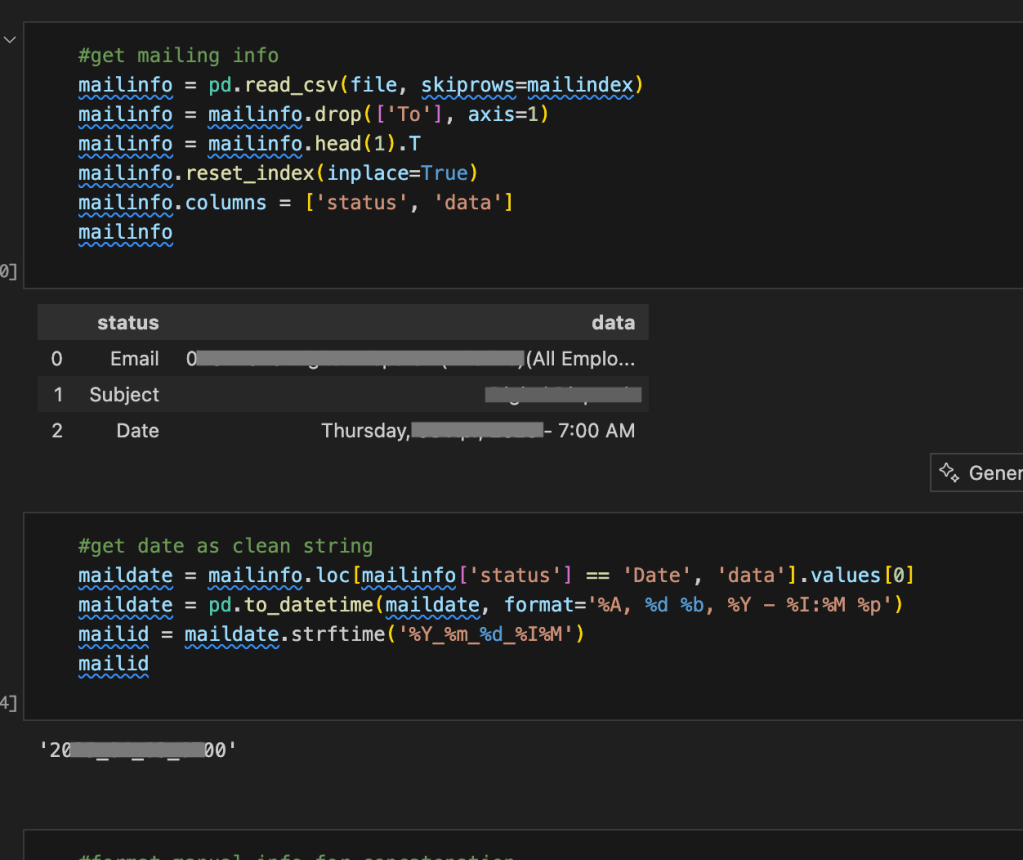
The script also generated a unique Mail ID for every mailing. Before this script, emails could generally be identified by their send date + sender or subject line, but because some subject lines (like “Open Enrollment”) were reused and senders sometimes sent multiple emails on the same day (such as separate messages targeted to executives, managers, employees, and contractors), there wasn’t a foolproof system for identifying specific mailings.
The only truly unique thing about each email is the exact send time and date (since the tool required emails be scheduled at least 5 minutes apart), but the time wasn’t being recorded in any of the data systems, so it couldn’t be used for tracking or cross-referencing. Once we started using YYYY_mm_dd_time ID codes, we could easily align reports about the same mailing and associated resources, links, videos, and other metrics.
 Lauren Mach
Leave a comment